Translation. Original: kody-qr.md
QR Verification Codes
21.08.2025
A QR (Quick Response) code is a graphical representation of text, most commonly a URL address. In the context of KSeF, it is an encoded link containing data identifying an invoice — such a format allows for quick information reading using end devices (smartphones or optical scanners). This way the link can be scanned and redirected directly to the appropriate KSeF system resource responsible for invoice or KSeF issuer certificate visualization and verification.
QR codes were introduced with situations in mind where an invoice reaches the recipient through a channel other than direct download from the KSeF API (e.g., as PDF, printout, or email attachment). In such cases, anyone can:
- check whether a given invoice is actually in the KSeF system and whether it has not been modified,
- download its structured version (XML file) without needing to contact the issuer,
- confirm the issuer's authenticity (for offline invoices).
Code generation (for both online and offline invoices) is performed locally in the client application based on data contained in the issued invoice. The QR code must comply with the ISO/IEC 18004:2024 standard. If it is not possible to place the code directly on the invoice (e.g., the data format does not allow it), it should be provided to the recipient as a separate graphic file or link.
Environments
Below are the URL addresses for individual KSeF environments used for QR code generation:
| Abbreviation | Environment | Address (QR) |
|---|---|---|
| TE | Test (Release Candidate) | https://qr-test.ksef.mf.gov.pl |
| DEMO | Pre-production (Demo/Preprod) | https://qr-demo.ksef.mf.gov.pl |
| PRD | Production | https://qr.ksef.mf.gov.pl |
Note: The following examples are prepared for the test environment (TE). For other environments, perform analogously using the appropriate URL address from the table above.
Depending on the issuance mode (online or offline), the following is placed on the invoice visualization:
- in online mode — one QR code (CODE I), enabling verification and download of the invoice from KSeF,
- in offline mode — two QR codes:
- CODE I for invoice verification after sending it to KSeF,
- CODE II for confirming issuer authenticity based on the KSeF certificate.
1. CODE I – Invoice verification and download
CODE I contains a link enabling reading and verification of an invoice in the KSeF system. After scanning the QR code or clicking the link, the user will receive a simplified presentation of basic invoice data and information about its presence in the KSeF system. Full access to content (e.g., XML file download) requires entering additional data.
Link generation
The link consists of:
- URL address:
https://qr-test.ksef.mf.gov.pl/invoice, - invoice issue date (field
P_1) in DD-MM-YYYY format, - seller's NIP,
- file hash calculated using SHA-256 algorithm (invoice file identifier) in Base64URL format.
For example, for an invoice:
- issue date: "01-02-2026",
- seller's NIP: "1111111111",
- SHA-256 hash in Base64URL format: "UtQp9Gpc51y-u3xApZjIjgkpZ01js-J8KflSPW8WzIE"
The generated link looks as follows:
https://qr-test.ksef.mf.gov.pl/invoice/1111111111/01-02-2026/UtQp9Gpc51y-u3xApZjIjgkpZ01js-J8KflSPW8WzIEExample in C#: KSeF.Client.Tests.Core\E2E\QrCode\QrCodeOnlineE2ETests.cs
string url = linkSvc.BuildInvoiceVerificationUrl(nip, issueDate, invoiceHash);Example in Java:
String url = linkSvc.buildInvoiceVerificationUrl(nip, issueDate, xml);QR code generation
Example in C#: KSeF.Client.Tests.Core\E2E\QrCode\QrCodeE2ETests.cs
private const int PixelsPerModule = 5;
byte[] qrBytes = qrCodeService.GenerateQrCode(url, PixelsPerModule);
Example in Java: QrCodeOnlineIntegrationTest.java
byte[] qrOnline = qrCodeService.generateQrCode(invoiceForOnlineUrl);Label under QR code
The invoice acceptance process by KSeF usually proceeds immediately — the KSeF number is generated immediately after sending the document. In exceptional cases (e.g., high system load), the number may be assigned with a slight delay.
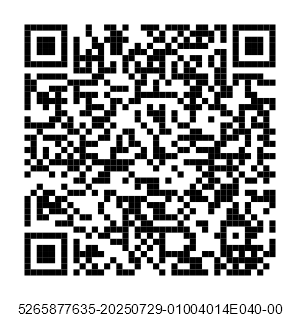
- If the KSeF number is known: the KSeF invoice number is placed under the QR code (applies to online invoices and offline invoices already sent to the system).
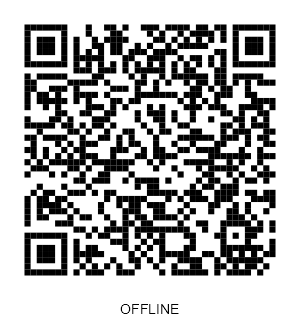
- If the KSeF number is not yet assigned: the text OFFLINE is placed under the QR code (applies to offline invoices before sending or online invoices waiting for a number).
Example in C#: KSeF.Client.Tests.Core\E2E\QrCode\QrCodeE2ETests.cs
byte[] labeled = qrCodeService.AddLabelToQrCode(qrBytes, GeneratedQrCodeLabel);Example in Java: QrCodeOnlineIntegrationTest.java
byte[] qrOnline = qrCodeService.addLabelToQrCode(qrOnline, invoiceKsefNumber);2. CODE II - Certificate verification
CODE II is generated exclusively for invoices issued in offline mode (offline24, offline-system unavailability, emergency mode) and serves to confirm the issuer's authenticity and their authorization to issue an invoice on behalf of the seller. Generation requires having an active KSeF Offline type certificate – the link contains a cryptographic signature of the URL using the KSeF Offline certificate private key, which prevents link forgery by entities not having access to the certificate.
Note: A certificate of type
Authenticationcannot be used to generate CODE II. Its purpose is exclusively authentication in the API.
A KSeF Offline type certificate can be obtained using the /certificates endpoint.
Verification after scanning QR code II
After navigating to the link from the QR code, the KSeF system performs automatic verification of the issuer's certificate. This process includes the following stages:
Issuer's KSeF certificate
- The certificate exists in the KSeF certificate registry and is valid.
- The certificate has not been revoked, blocked, or lost validity (
validTo).
Issuer's signature
- The system verifies the correctness of the signature attached in the URL.
Issuer's permissions
- The entity identified by the issuer's certificate has active permissions to issue an invoice in the context (
ContextIdentifier), - Verification is performed according to the rules described in the document uwierzytelnianie.md,
- For example: an accountant signing an invoice on behalf of company A must have the
InvoiceWriteright granted in the context of that company.
- The entity identified by the issuer's certificate has active permissions to issue an invoice in the context (
Context and seller NIP compliance
- The system checks whether the context (
ContextIdentifier) has the right to issue invoices for a given seller NIP (Podmiot1of the invoice). This applies to cases including:- self-invoicing (
SelfInvoicing), - tax representative (
TaxRepresentative), - VAT groups,
- JST units,
- subordinate units identified by internal identifier,
- bailiff,
- enforcement authority,
- PEF invoices issued on behalf of another entity by a Peppol service provider,
- invoices issued by a European entity.
- self-invoicing (
Example 1. Invoice issuance by an entity in its own context
An entity issues an invoice using a certificate containing its own NIP number. The invoice is issued in the context of the same entity, and the seller NIP field indicates its own NIP number.
Issuer identifier (certificate) Context Seller NIP 1111111111 1111111111 1111111111 Example 2. Invoice issuance by an authorized person on behalf of an entity
A natural person (e.g., accountant) using a KSeF certificate containing a PESEL number issues an invoice in the context of an entity on whose behalf they have appropriate permissions. The seller NIP field indicates the NIP number of that entity.
Issuer identifier (certificate) Context Seller NIP 22222222222 1111111111 1111111111 Example 3. Invoice issuance on behalf of another entity
A natural person issues an invoice in the context of entity A, but the seller NIP field on the invoice indicates the NIP number of another entity B. This situation is possible when entity A has granted permissions to issue invoices on behalf of entity B, e.g., tax representative, self-invoicing.
Issuer identifier (certificate) Context Seller NIP 22222222222 1111111111 3333333333 - The system checks whether the context (
Link generation
The verification link consists of:
- URL address:
https://qr-test.ksef.mf.gov.pl/certificate, - login context identifier type (
ContextIdentifier): "Nip", "InternalId", "NipVatUe", "PeppolId" - login context identifier value,
- seller's NIP,
- issuer's KSeF certificate serial number,
- SHA-256 invoice file hash in Base64URL format,
- link signature using the issuer's KSeF certificate private key (encoded in Base64URL format).
Signature format
For signing, a URL path fragment without protocol prefix (https://) and without trailing slash / is used, e.g.:
qr-test.ksef.mf.gov.pl/certificate/Nip/1111111111/1111111111/01F20A5D352AE590/UtQp9Gpc51y-u3xApZjIjgkpZ01js-J8KflSPW8WzIESignature algorithms:
RSA (RSASSA-PSS)
- Hash function: SHA-256
- MGF: MGF1 with SHA-256
- Salt length: 32 bytes
- Required key length: Minimum 2048 bits.
The string to be signed is first hashed with SHA-256 algorithm, then a signature is generated according to the RSASSA-PSS scheme.
ECDSA (P-256/SHA-256)
The string to be signed is hashed with SHA-256 algorithm, then a signature is generated using an ECDSA private key based on the NIST P-256 (secp256r1) curve, whose selection should be indicated when generating the CSR.The signature value is a pair of integers (r, s). It can be encoded in one of two formats:
- IEEE P1363 Fixed Field Concatenation – recommended method due to shorter result string and constant length. Format simpler and shorter than DER. Signature is concatenation R || S (32 bytes each big-endian).
- ASN.1 DER SEQUENCE (RFC 3279) – signature is encoded as ASN.1 DER. Signature size is variable. We suggest using this type of signature only when IEEE P1363 is not possible due to technological limitations.
In both cases (regardless of choosing RSA or ESDSA), the obtained signature value should be encoded in Base64URL format.
For example, for an invoice:
- login context identifier type: "Nip",
- context identifier value: "1111111111",
- seller's NIP: "1111111111",
- issuer's KSeF certificate serial number: "01F20A5D352AE590",
- SHA-256 hash in Base64URL format: "UtQp9Gpc51y-u3xApZjIjgkpZ01js-J8KflSPW8WzIE",
- link signature using the issuer's KSeF certificate private key: "mSkm_XmM9fq7PgAJwiL32L9ujhyguOEV48cDB0ncemD2r9TMGa3lr0iRoFk588agCi8QPsOuscUY1rZ7ff76STbGquO-gZtQys5_fHdf2HUfDqPqVTnUS6HknBu0zLkyf9ygoW7WbH06Ty_8BgQTlOmJFzNWSt9WZa7tAGuAE9JOooNps-KG2PYkkIP4q4jPMp3FKypAygHVnXtS0RDGgOxhhM7LWtFP7D-dWINbh5yXD8Lr-JVbeOpyQjHa6WmMYavCDQJ3X_Z-iS01LZu2s1B3xuOykl1h0sLObCdADrbxOONsXrvQa61Xt_rxyprVraj2Uf9pANQgR4-12HEcMw"
The generated link looks as follows:
https://qr-test.ksef.mf.gov.pl/certificate/Nip/1111111111/1111111111/01F20A5D352AE590/UtQp9Gpc51y-u3xApZjIjgkpZ01js-J8KflSPW8WzIE/mSkm_XmM9fq7PgAJwiL32L9ujhyguOEV48cDB0ncemD2r9TMGa3lr0iRoFk588agCi8QPsOuscUY1rZ7ff76STbGquO-gZtQys5_fHdf2HUfDqPqVTnUS6HknBu0zLkyf9ygoW7WbH06Ty_8BgQTlOmJFzNWSt9WZa7tAGuAE9JOooNps-KG2PYkkIP4q4jPMp3FKypAygHVnXtS0RDGgOxhhM7LWtFP7D-dWINbh5yXD8Lr-JVbeOpyQjHa6WmMYavCDQJ3X_Z-iS01LZu2s1B3xuOykl1h0sLObCdADrbxOONsXrvQa61Xt_rxyprVraj2Uf9pANQgR4-12HEcMwExample in C#: KSeF.Client.Tests.Core\E2E\QrCode\QrCodeOfflineE2ETests.cs
 var certificate = new X509Certificate2(Convert.FromBase64String(certbase64));

 byte[] qrOfflineCode = QrCodeService.GenerateQrCode(
    linkService.BuildCertificateVerificationUrl(
        nip,
        nip,
        certificate.CertificateSerialNumber,
        invoiceHash,
        certificate));
Example in Java: QrCodeOfflineIntegrationTest.java
String pem = privateKeyPemBase64.replaceAll("\\s+", "");
byte[] keyBytes = java.util.Base64.getDecoder().decode(pem);

String url = verificationLinkService.buildCertificateVerificationUrl(
    contextNip,
    ContextIdentifierType.NIP,
    contextNip,
    certificate.getCertificateSerialNumber(),
    invoiceHash,
    cryptographyService.parsePrivateKeyFromPem(keyBytes));
QR code generation
Example in C#: KSeF.Client.Tests.Core\E2E\QrCode\QrCodeE2ETests.cs
byte[] qrBytes = qrCodeService.GenerateQrCode(url, PixelsPerModule);Example in Java: QrCodeOnlineIntegrationTest.java
byte[] qrOnline = qrCodeService.generateQrCode(invoiceForOnlineUrl);Label under QR code
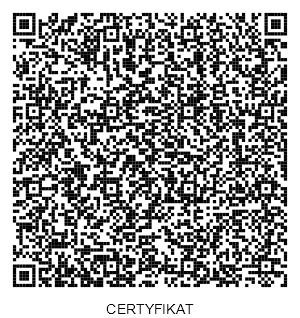
Under the QR code there should be a CERTIFICATE label, indicating the KSeF certificate verification function.
Example in C#: KSeF.Client.Tests.Core\E2E\QrCode\QrCodeE2ETests.cs
private const string GeneratedQrCodeLabel = "CERTYFIKAT";
byte[] labeled = qrCodeService.AddLabelToQrCode(qrBytes, GeneratedQrCodeLabel);
Example in Java: QrCodeOnlineIntegrationTest.java
byte[] qrOnline = qrCodeService.addLabelToQrCode(qrOnline, invoiceKsefNumber);